Credentials embedded in Fabric items (notebooks, dataflows, pipelines, semantic models) are a design flaw; three recognizable incidents that show how secrets leak at scale (though none involved Fabric); and the Fabric‑native path forward—Workspace Identity by default, Azure Key Vault references when you must use a secret, and connections that keep CI/CD boring and secure.
The pattern behind the big breaches (and the Fabric takeaway)
These incidents vary in logo, not in lesson: credentials landed in code or repos, automation spread them, rotation lagged, and trust took the hit.
- Uber AWS credentials in GitHub — breach October 2016, disclosed November 21, 2017.
Attackers pulled keys from a private repo and accessed S3, impacting 57 million riders and drivers; Uber later acknowledged the incident publicly. Fabric takeaway: if secrets ride along in Git, a private branch is not a safety boundary. Keep artifacts secret‑free.
- The New York Times GitHub token — stolen January 2024, leak surfaced June 8, 2024.
A compromised GitHub token enabled access to repos; ~270 GB of internal code later appeared on 4chan, confirmed by the Times. Fabric takeaway: treat tokens as crown jewels—store in Key Vault, not in developer workflows; wire Fabric items to connections that authenticate without handling raw secrets.
- Toyota T‑Connect key exposure — October 7, 2022.
A secret key left in a public repo for nearly five years exposed data for ~296,000 customers. Fabric takeaway: the half‑life of a leaked key is longer than a sprint. Eliminate static secrets where possible, or centralize and rotate them.
In every case, the root cause wasn’t exotic malware—it was a credential where it didn’t belong.
Why secrets don’t belong inside Fabric items
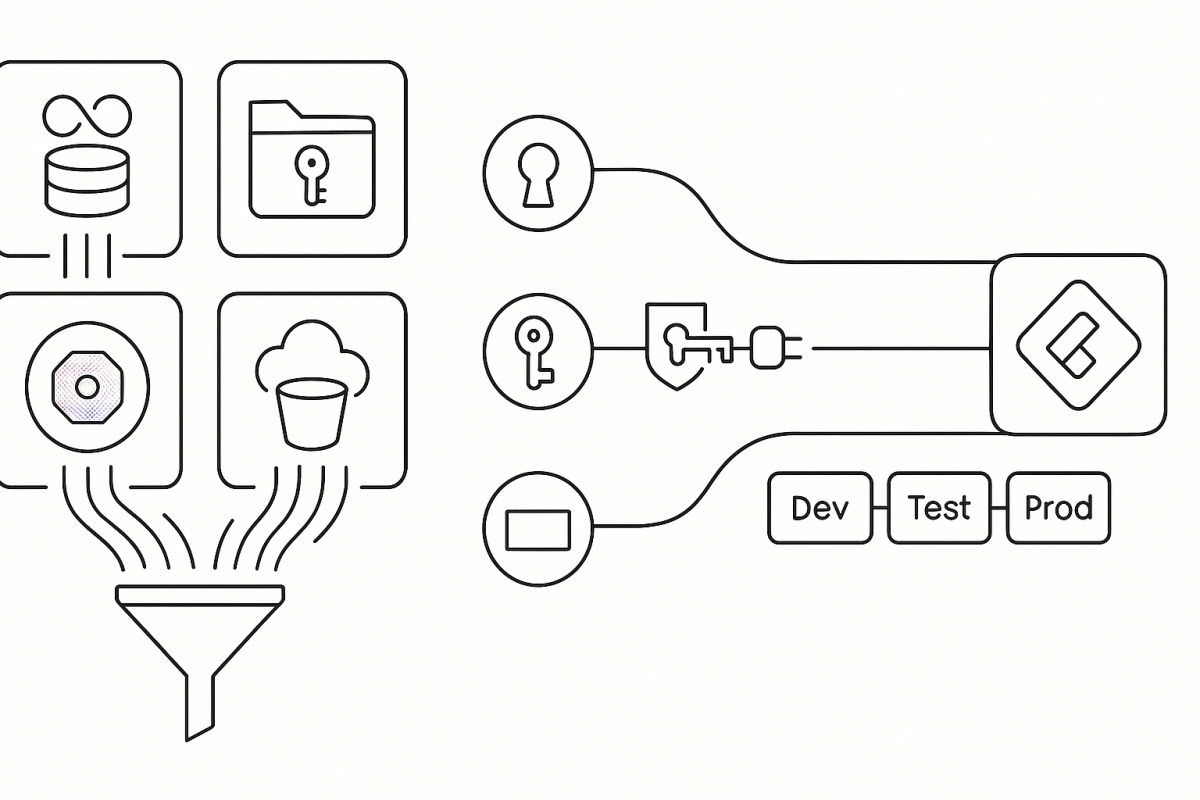
Fabric is designed so items use credentials via governed connections—not embed them in code or metadata. The moment you enable Git integration, item definitions flow to a branch where pull requests, diffs, and automation increase the blast radius of any embedded key. Keep definitions in Git; keep secrets out.
Deployment Pipelines help with promotion, and deployment rules can remap endpoints across Dev/Test/Prod. They won’t sanitize a password tucked into M, SQL, or a notebook cell. Centralize authentication in connections (or better, identity), then let rules handle environment drift.
Tenant administrators can also govern who may share connections in Manage connections and gateways, reducing scatter and drift.
Workspace Identity in Fabric (the default path)
What it is.
A Workspace Identity is an automatically managed Microsoft Entra application (service principal) tied to a Fabric workspace. Fabric items can authenticate to resources that support Entra auth without storing keys, passwords, or SAS tokens. Fabric admins can view and govern these identities in the admin portal.
What it unlocks.
Workspace Identity enables secure access to firewall‑enabled ADLS Gen2 through Trusted workspace access (TWA)—you allow specific Fabric workspaces to reach a storage account using resource instance rules. It also lights up authentication for supported connectors across Dataflows Gen2, pipelines, and (in many scenarios) semantic models and lakehouses.
How to use it well (short, practical path).
Create a workspace identity in Workspace settings, then grant it least‑privilege roles (for example, Storage Blob Data Reader/Contributor) on the target resource. For ADLS Gen2 behind a firewall, enable Trusted workspace access and add the workspace via resource instance rules; then consume the data through a OneLake shortcut, pipeline, or model—no account keys, no SAS. Note that TWA requires an F‑SKU capacity (not Trial).
Where it shows up in the UI.
When you create connections to ADLS Gen2, Workspace Identity appears as a supported authentication option. Fabric documents where WI works (shortcuts, pipelines, Dataflows Gen2, semantic models) and where it doesn’t.
Current considerations.
Feature support is expanding, but not universal; consult connector docs before assuming WI is available everywhere. Some WI/TWA connections are created from item experiences (e.g., shortcut or pipeline wizards) rather than from Manage connections and gateways, and a few management tasks remain workspace‑scoped.
Why it matters.
Using Workspace Identity removes entire classes of failure: no secret sprawl, no expired tokens breaking refresh, no surprises in PR diffs. It’s the Fabric‑native way to align with Zero Trust without slowing development.
When a secret is unavoidable: vault and reference it
Sometimes a vendor API still requires a key. In those cases:
- Use Azure Key Vault references for Fabric connections. Create a Key Vault reference once, bind supported connections to it, and let rotation happen centrally. This preview feature is now broadly documented and managed from Manage connections and gateways.
- Fetch at runtime in notebooks—never store in code. Use
notebookutils.credentials.getSecret(vaultUri, secretName); don’t print secrets or write them to files or logs.
- Manage semantic‑model credentials in the service. Cloud sources don’t need a gateway, but data source credentials live in model settings—keep them out of queries and parameters and prefer identity where supported.
CI/CD that stays boring (in the best way)
Connect your workspace to Git for version control, reviews, and history—but only after you’ve moved credentials into Workspace Identity or Key Vault–backed connections. Use deployment rules to remap endpoints across stages without rewriting credentials. That combination gives you clean repos and predictable promotions.
A compact blueprint you can adopt now
- Make WI your default. Create a Workspace Identity, grant least‑privilege roles, and enable Trusted workspace access for ADLS Gen2. Replace SAS/keys with OneLake shortcuts, pipelines, or models that use WI.
- Vault the rest. Add Azure Key Vault references to connections; in notebooks, call NotebookUtils at runtime.
- Keep Git clean; let rules do the switching. Use deployment rules to point artifacts at Dev/Test/Prod endpoints; never commit secrets. Govern connection sharing in Manage connections and gateways.
Summary—and the next step
The headline breaches didn’t hinge on sophisticated exploits; they hinged on secrets in repos. In Fabric, the durable fix is to remove static secrets with Workspace Identity wherever possible and centralize unavoidable credentials with Azure Key Vault–backed connections. Wire your items to connections, not copied keys; let deployment rules handle environment drift. Start today by enabling Workspace Identity on one workspace and converting a single SAS‑based connection into TWA or AKV—then rinse and repeat.



 EduDataSci - Educating the world about data and leadership